Showing posts with label Action Revisited. Show all posts

Monday, April 24

CoffeeShop "Creamy Luxe" Photoshop/PSE Action Revisited!

I am going to start revisiting some of my older Photoshop/PSE actions every week. I have over 400 actions on this site and I love rediscovering old classics. It is spring, so why not play around with a perfect spring edit!

Today I wanted to edit with my "Creamy Luxe" action. I wrote this one back in 2015. I had an 11 and an 8 year old boy in the house back then, and I have no idea how I got anything done on my blog. This is a simple little action but is stunning applied on floral images and outdoor portraits.

Here is an example photo edit using "Creamy Luxe". Download the original image here.

This is what the image looks like after running the action without any adjustments. This is pretty but I want to soften it even more.
I turned off the Define layer and brought up the Creamy layer from 50% to 90%. I love this edit so much!
Finally, I added one of my fine art textures. I used the Catlin 2b texture from this post. I desaturated the texture and applied it twice on top in Soft Light blending mode at 100% and then 50%.

 Download the print I made by clicking on the image or on this link.


  Visit the CoffeeShop "Creamy Luxe" Photoshop/PSE post to download the action!

Do you want to download thousands of professional CoffeeShop PSE/Photoshop actions (including exclusive ones not found anywhere for free), textures/overlays, scrapbooking papers, clip art/design elements, photo storyboards and frames, and Lightroom presets from this site in one convenient zipped file AND help support this one-woman blog?

Just click here for my CoffeeShop Mega Download Pack!

Wednesday, December 7

CoffeeShop "Heavenly Light" Photoshop/PSE Editing Kit Revisted!

I have been going through my older actions and finding some real jewels. Today I wanted to revisit "Heavenly Light". This is an editing kit that contains a Photoshop/PSE action, sun-flare overlay, and two painterly textures.

I wanted to post some new example edits I did today using the kit. 

There are a few notes I wanted to mention about using this action. The matte-effect layer is too strong, so I always have to turn down the opacity quite a bit if I decide to apply it. I enlarge the sun-flare overlay so that it covers a significant part of the sky. I mainly use Soft Light or Screen blending mode for the sun-flare overlay depending on the effect I am after, but if I used Screen I painted most of it off faces in portraits. I sometimes make several copies of the sun-flare and use different sizes and blending modes together. The optional textures included are OK, but I have so many  free gorgeous textures and overlays here on my blog please don't limit yourself! 

Here are some edits using "Heavenly Light" The editing kit and tutorial can be found on this post.


The "Heavenly Light" Editing Kit and Photoshop/PSE Tutorial can be found here!

 Do you want to download thousands of professional CoffeeShop PSE/Photoshop actions (including exclusive ones not found anywhere for free), textures/overlays, scrapbooking papers, clip art/design elements, photo storyboards and frames, and Lightroom presets from this site in one convenient zipped file AND help support this one-woman blog?

Just click here for my CoffeeShop Mega Download Pack!

Wednesday, November 23

CoffeeShop "Winter Dreams Extreme" Photoshop/PSE Action Revisited!

Happy Thanksgiving!!! I hope you have a wonderful week with your loved ones.

I have hundreds of Photoshop/PSE actions and tutorials on this blog so I like to bring up some of my favorites in case you missed or forgot about them.

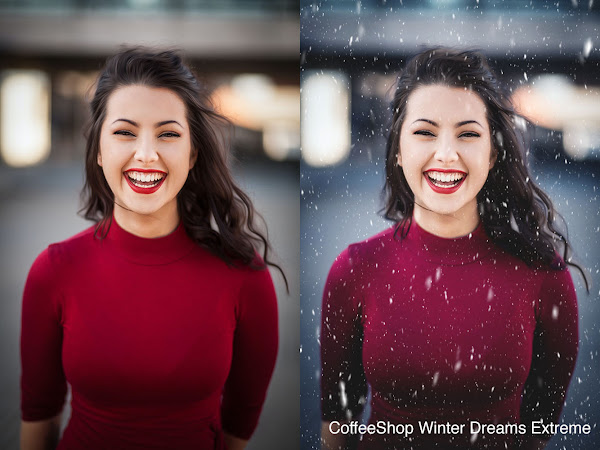
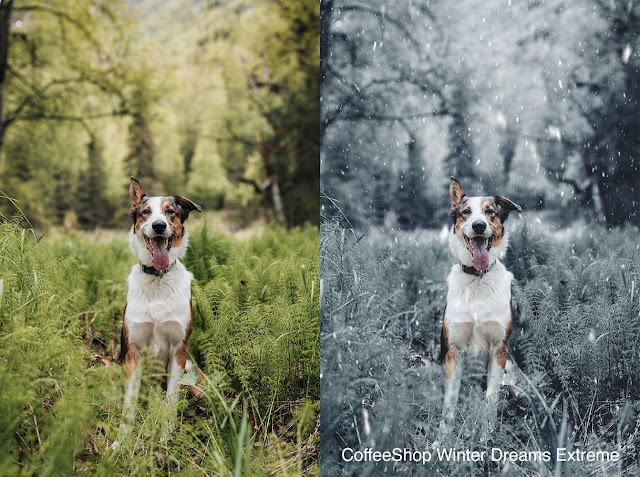
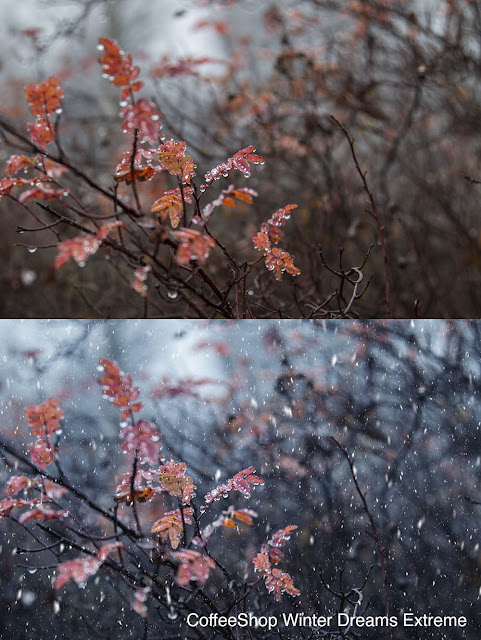
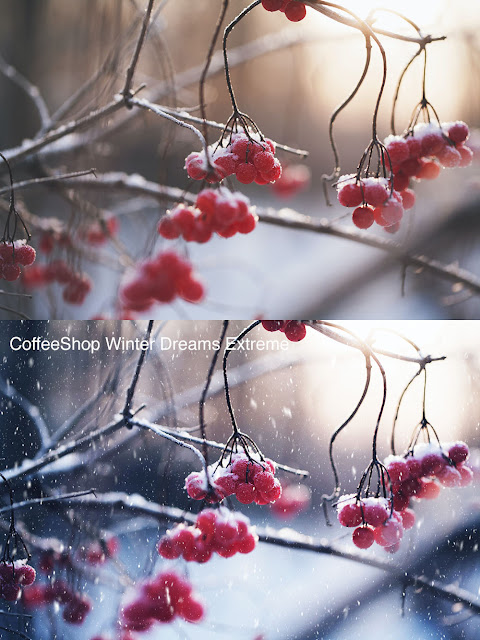
"Winter Dreams Extreme" is one of my favorite winter actions. I live in Texas, so we don't usually see any snow, so I wrote an action that not only applies a beautiful winter tint on images, you can also drag and drop a beautiful snow overlay and instantly your photo was taken on a nice snowy day. It is really like magic and even works on images with a green landscape.

This action is fast and easy to use and includes a step-by-step tutorial, and my snow overlay of choice right now can be downloaded for free

Today I ran the action on a few images and wanted to share them with you. Click on the images to be directed to the originals. I love the effect and hope you enjoy applying it to your own images.


Do you want to download thousands of professional CoffeeShop PSE/Photoshop actions (including exclusive ones not found anywhere for free), textures/overlays, scrapbooking papers, clip art/design elements, photo storyboards and frames, and Lightroom presets from this site in one convenient zipped file AND help support this one-woman blog?

Just click here for my CoffeeShop Mega Download Pack!

Monday, September 26

CoffeeShop "Fall Frenzy" Photoshop/PSE Action Revisited!


It is still summer here with temperatures in the 90's, but next week we are supposed to cool down to the 80's during the day and the 60's at night. Summer is almost over! However we won't see any any fall colors for a month or two. I am a little jealous of those of you who live in areas that have four seasons and autumn is already there. 

I have written so many fall-inspired Photoshop/PSE actions which makes it difficult to find many of my older ones. So I am going back in the archives and playing with some of my older fall actions and posting some examples here. 

Today I wanted to highlight my CoffeeShop "Fall Frenzy" action. Click on this link to be directed to the original post where you can download the "Fall Frenzy" action for free, or grab all of my actions here. This action is gorgeous and really brings out the reds and oranges in your fall images. The effect can be as dramatic or subtle as you want, this action is fully adjustable. You can even adjust the contrast for a soft matte or glossy effect. I also included a layer mask so you can paint off the effect on skin.

This action doesn't only have to be used on fall images, it warms up any photo that has reds and oranges. Click on them to see them bigger.

Below I posted some before/afters.


 Do you want to download thousands of professional CoffeeShop PSE/Photoshop actions (including exclusive ones not found anywhere for free), textures/overlays, scrapbooking papers, clip art/design elements, photo storyboards and frames, and Lightroom presets from this site in one convenient zipped file AND help support this one-woman blog?

Just click here for my CoffeeShop Mega Download Pack!

Thursday, February 3

CoffeeShop "Color Bar 6" Photoshop/PSE Action Revisited!


I have hundreds of Photoshop/PSE actions posted on this blog and I think it is fun to revisit some of my favorites in case you missed them. Heck, I can't even remember many of them myself!

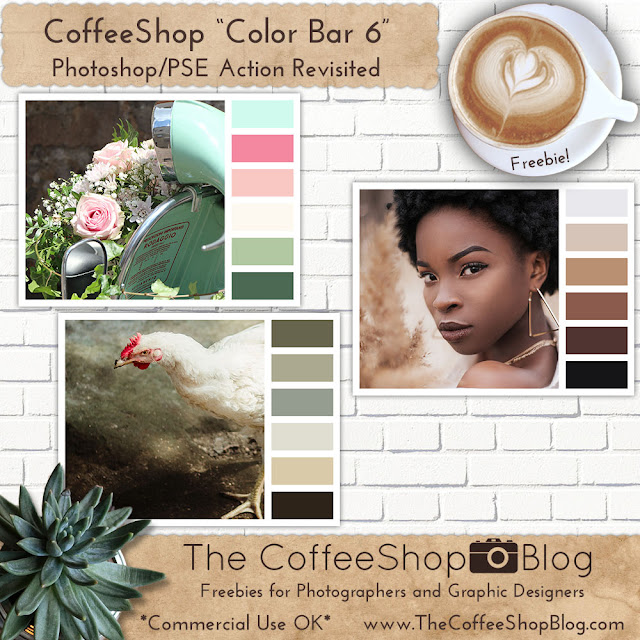
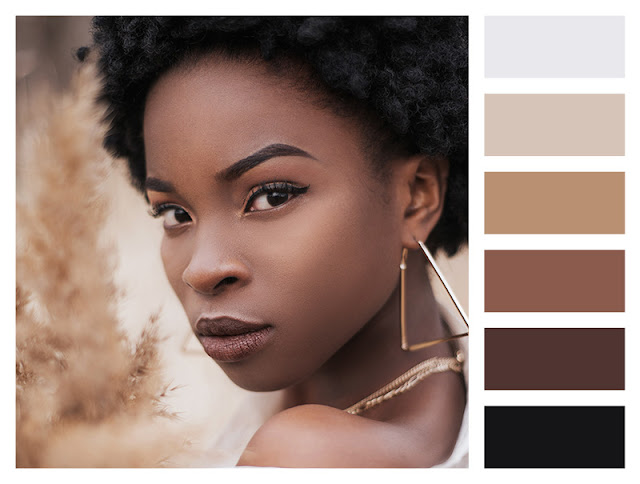
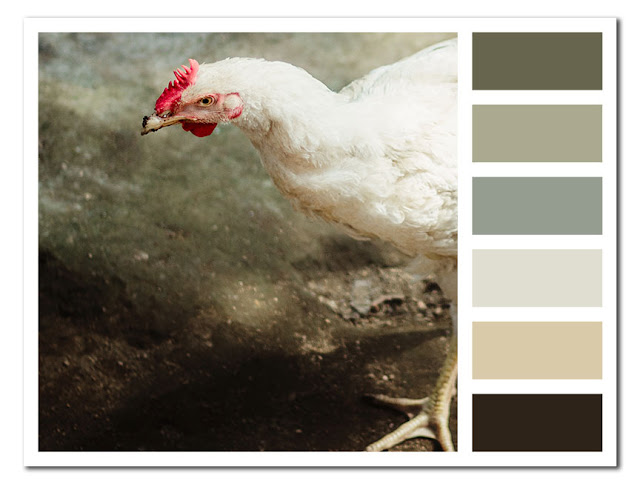
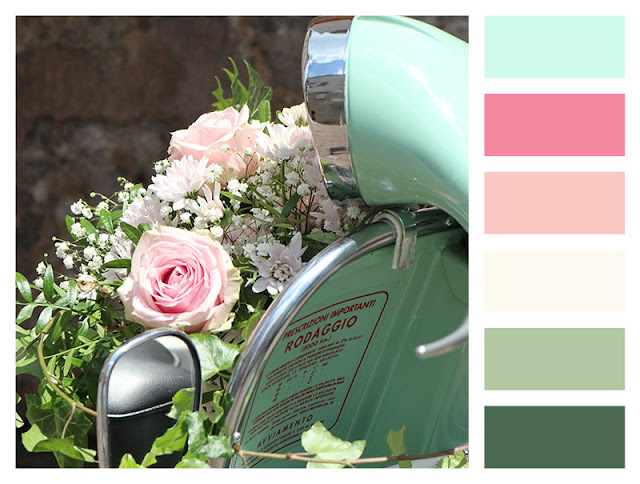
Today I wanted to go back to my Color Bar 6 action. This action allows you to almost instantly create a custom six color bar storyboard using any image, and it is fully adjustable. These are great if you want to pick out colors for a project, but you can also print or post them on the web. 

I actually came upon that chicken image, loved the colors, and decided I had to pull out and dust off this action.

Grab the action and read the tutorial on this post. And if you want all of my actions in one download, check out my Mega Download Pack. Purchase of this pack support this site, so I really appreciate it!


Do you want to download all of my favorite professional CoffeeShop PSE/Photoshop actions (including exclusive ones not found anywhere for free), textures, papers, clip art/design elements, storyboards, and Lightroom presets in one convenient zipped file AND help support this blog? Just click here for my CoffeeShop Mega Download Pack!

Thursday, November 18

CoffeeShop Photoshop/PSE Tutorial: Create Heavenly Light Using Gradients!


Today I wanted to show you an easy technique to add gorgeous heavenly light to any image. This effect looks stunning on most outdoor images, but I really love using it on fall and winter scenes.

In this tutorial I will be using my CoffeeShop "Buttercream Beauty" Photoshop/PSE action and adding a  Gradient adjustment layer for the light effect.

Buttercream Beauty is one of my favorite actions but I posted it years ago and many of you have probably never seen it. It looks great on so many different images including portraits, still life, and landscapes. So I am excited to be using it in my newest tutorial.

CoffeeShop "Heavenly Light" Photoshop/PSE Tutorial:


Run the Buttercream Beauty action and adjust the layers to taste.


Click to select the Soft Buttercream 2 layer and add a Gradient adjustment layer.


Set the Gradient to Black to Transparent, Linear, Scale of 1%. I use these settings so I can easily adjust where I want the light breaking through. 

Adjust the Angle where you wish to see the light, in this case mainly from the upper right corner.


Double-Click on the Black to Transparent Gradient to open up the Gradient Editor and then click on the left color box as seen above and set it to Hex#f2dab4.


Do the same to the right box and then press OK.


Adjust the Scale to taste to soften the light effect. Then adjust the opacity of this new Gradient layer or try different blending modes.


Screen blending mode


Hard Light blending mode


Overlay blending mode


I wanted to show you one more example using a different color for the Gradient.

Run the Buttercream Beauty action.


This time add a burnt orange color to the left side of the Gradient and keep the right side the same as I used in the previous image. Then adjust the Scale to taste.

I hope you can use this method of editing on some of your images! Please leave any questions in the comments below.

Do you want to download all of my favorite professional CoffeeShop PSE/Photoshop actions (including exclusive ones not found anywhere for free), textures, papers, clip art/design elements, storyboards, and Lightroom presets in one convenient zipped file AND help support this blog? Just click here for my CoffeeShop Mega Download Pack!

Thursday, November 11

CoffeeShop Autumn Photoshop/PSE Actions Revisited!


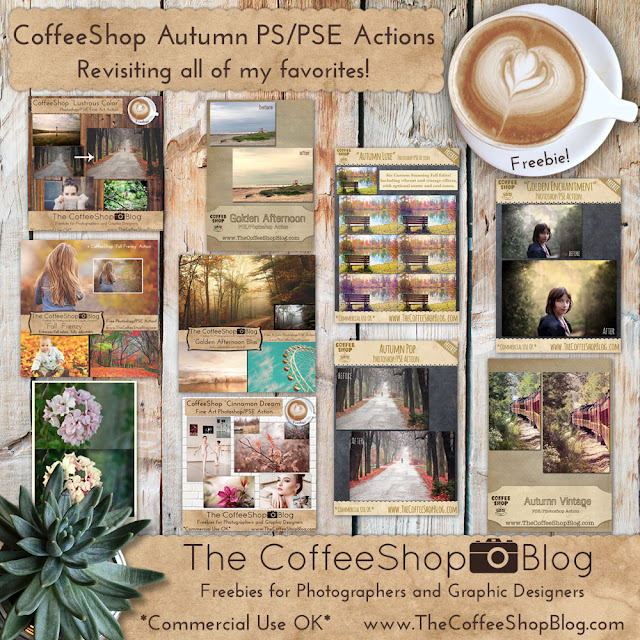
Today I wanted to post links to many of my favorite autumn Photoshop/PSE actions I have posted over the years. I was going to write a new autumn action this morning and was running the ones I had l already created and came to realize I already had so many gorgeous ones. So I decided to post about them today in case you missed any of them. 

These aren't all of my actions that would look amazing on fall images, but this will get you started!

These actions are also included in my CoffeeShop Mega Download Pack.

Just click on the images below and you will be directed to the original posts with downloads. There are some oldies but goodies back there that you might have never seen!

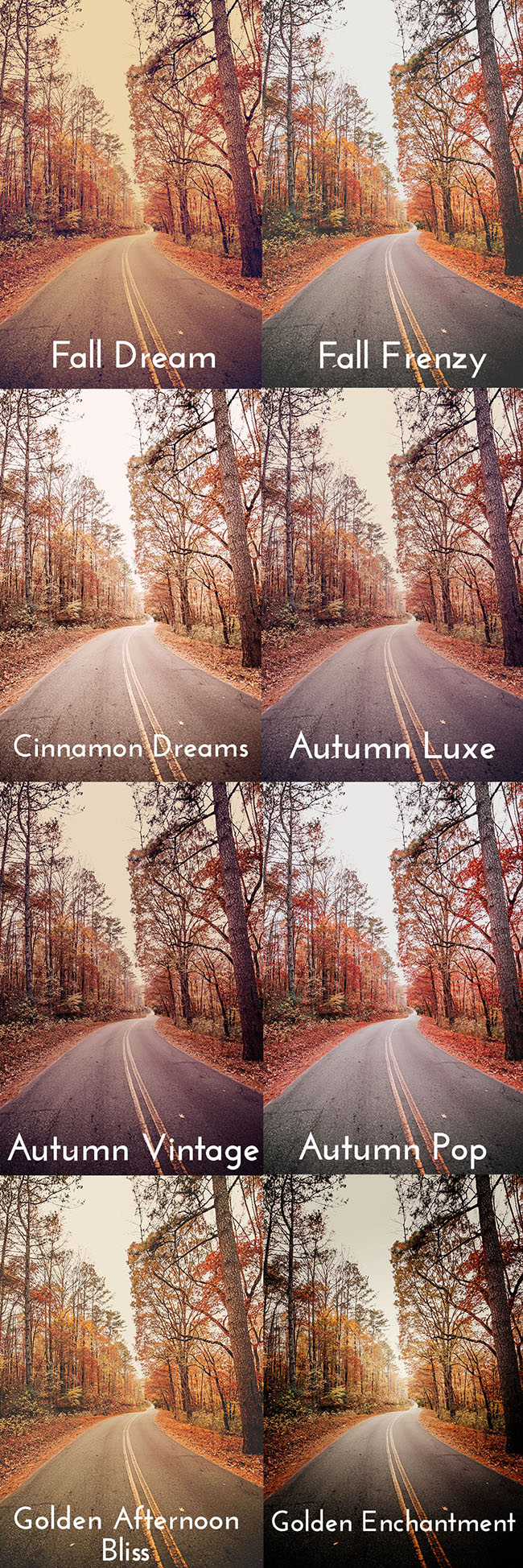
The first compilation image is just some examples of the actions used on one images. Remember, all of the actions are completely adjustable and several have many options, so you can get unlimited editing results!


Do you want to download all of my favorite professional CoffeeShop PSE/Photoshop actions (including exclusive ones not found anywhere for free), textures, papers, clip art/design elements, storyboards, and Lightroom presets in one convenient zipped file AND help support this blog? Just click here for my CoffeeShop Mega Download Pack!