Showing posts with label Fine Art Editing. Show all posts

Tuesday, May 16

CoffeeShop "Catlin #5" Fine Art Texture Set!


Today I have a brand new fine art texture set to share with you called Catlin 5. This set is very soft and pretty and looks gorgeous applied over floral and other still life images, but you can use them on portraits or landscapes. Try de-saturating, layering, or changing their colors for an almost infinite variety of edits!

The beauty of textures is you can take any of your own images or stock images and turn them into unique works of art that would look gorgeous on cards and or hanging on the wall. Design trends are going away from mass-produced art so why not make your own beautiful prints to hang on your own walls, sell (my textures all come with free commercial TOU), or give to loved ones!

Download the texture set for free toward the bottom of my post.

 Grab the other Catlin sets! Catlin 1, Catlin 2, Catlin 3, Catlin 4


Download the CoffeeShop "Catlin #5" Fine Art Texture Set!

 Do you want to download thousands of professional CoffeeShop PSE/Photoshop actions (including exclusive ones not found anywhere for free), textures/overlays, scrapbooking papers, clip art/design elements, photo storyboards and frames, and Lightroom presets from this site in one convenient zipped file AND help support this one-woman blog?

Just click here for my CoffeeShop Mega Download Pack!

Friday, May 5

CoffeeShop "Underwater Luxe 2" Fine Art Photoshop/PSE Action!


Happy Friday! One of my most downloaded Photoshop/PSE actions is the Underwater Luxe. I love that action but after using it for some time I wanted to write an updated version that I believe is better. Today you can download this update called Underwater Luxe 2. Yes, a very original name. Hee hee!

This action reduces haze, adds beautiful dark contrast, and allows you to remove blue casts off and smooth skin in underwater images. But it isn't only for portraits!

I have a step-by-step tutorial posted below (I overdid the effect somewhat so it was easier to see a difference on a small screen). Download the free action near the bottom of this post.

CoffeeShop "Underwater Luxe 2" Tutorial: 


Run "Underwater Luxe 2". A Color Range pop-up will appear, this step is for skin smoothing and is optional. If you are using this on a portrait, simply click on the skin area that you wish to smooth to select it and adjust the Fuzziness to taste. Just leave "as-is" if you don't need skin smoothing.

 
Adjust the Radius and Threshold setting until you are satisfied with the skin smoothing (or do nothing if you don't need this layer). You will be able to dial it down after the action finishes so if anything, overdo it a little.

 
This is what the image looks like after "Underwater Luxe 2" has finished. Lovely, right?


Click to select the Luxe's layer mask and use your favorite selection method to select the person (or animal/fish) where you want to remove some of the dark contrast. Then go to Edit<Fill and fill the layer mask with 50% gray. Or just start painting over the image with a low opacity black brush.

 
If you want to remove more Luxe off the skin, use a soft black brush at low opacity where needed.

 
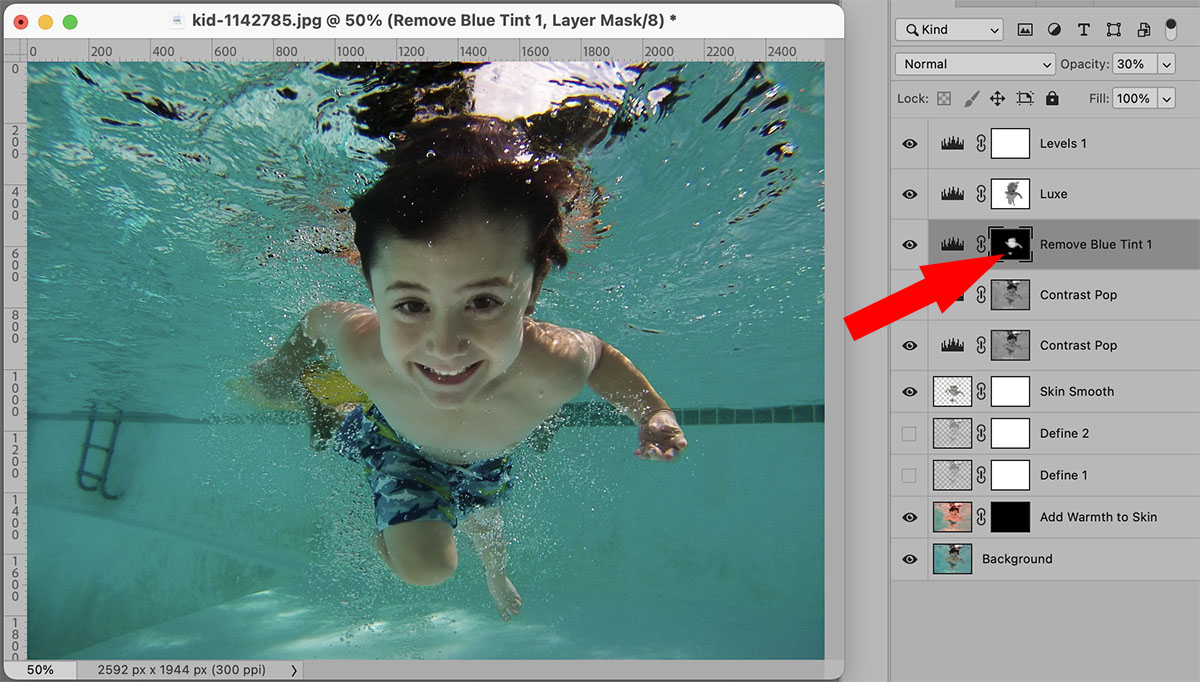
Click to select the Remove Blue Tint 1 layer's mask and use a soft white brush to remove any blue tint off of skin/eyes/teeth.


Keep both Contrast Pop layers on and adjust each opacity to taste. Turn off the Skin Smooth layer if you don't need it or adjust its opacity. Adjust the Define 1 and Define 2's opacity to taste. Then click on the Add Warmth to Skin's layer mask and use a low opacity white brush to gently add back some additional warmth to skin if needed.
 
As a final step, open up the top Levels 1 layer and adjust the sliders to taste. Now it is finished and I think it looks great! Note: I did overdo the edit slightly so that you can see the changes on a small screen.
 
Here is one more, you don't just use this action on people!

Download the CoffeeShop "Underwater Luxe 2" Fine Art Photoshop/PSE Action!

Do you want to download thousands of professional CoffeeShop PSE/Photoshop actions (including exclusive ones not found anywhere for free), textures/overlays, scrapbooking papers, clip art/design elements, photo storyboards and frames, and Lightroom presets from this site in one convenient zipped file AND help support this one-woman blog?

Just click here for my CoffeeShop Mega Download Pack!

Monday, April 24

CoffeeShop "Creamy Luxe" Photoshop/PSE Action Revisited!

I am going to start revisiting some of my older Photoshop/PSE actions every week. I have over 400 actions on this site and I love rediscovering old classics. It is spring, so why not play around with a perfect spring edit!

Today I wanted to edit with my "Creamy Luxe" action. I wrote this one back in 2015. I had an 11 and an 8 year old boy in the house back then, and I have no idea how I got anything done on my blog. This is a simple little action but is stunning applied on floral images and outdoor portraits.

Here is an example photo edit using "Creamy Luxe". Download the original image here.

This is what the image looks like after running the action without any adjustments. This is pretty but I want to soften it even more.
I turned off the Define layer and brought up the Creamy layer from 50% to 90%. I love this edit so much!
Finally, I added one of my fine art textures. I used the Catlin 2b texture from this post. I desaturated the texture and applied it twice on top in Soft Light blending mode at 100% and then 50%.

 Download the print I made by clicking on the image or on this link.


  Visit the CoffeeShop "Creamy Luxe" Photoshop/PSE post to download the action!

Do you want to download thousands of professional CoffeeShop PSE/Photoshop actions (including exclusive ones not found anywhere for free), textures/overlays, scrapbooking papers, clip art/design elements, photo storyboards and frames, and Lightroom presets from this site in one convenient zipped file AND help support this one-woman blog?

Just click here for my CoffeeShop Mega Download Pack!

Friday, April 21

CoffeeShop "Linnaeus" Fine Art Texture Set!

I am BACK!  I have had a few people check on me on my Facebook page and I really appreciate their concern. Luke and I have been working full-time at my husband's business, filling in until we hired some new staff. That put a damper on the time and energy I needed to post here on my blog, but now we have a full staff and I am back to working part-time for Paul (when needed). I really missed creating.

So a few things. First, my CoffeeShop MegaPack is on sale this month, so please check it out! And if you have purchased it already within two years, email me if you want my newest version for free. I just updated it today if you want my newest version!

Second, I am updating all of my download links. Many of the older ones are broken or blocked by some browsers because the "HTTP" is not "HTTPS". When I uploaded my older freebies there was no "S" to be had, so I am painstakingly going back and adding that blasted "S". If you are having issues downloading, simply copy the download link to Notepad or Word and change the "HTTP" to "HTTPS" and the link will work. If your browser allows you to click on the old link it will be directed to the secure site automatically. And if you find any broken links or issues, just leave a comment on that post and I will fix it.

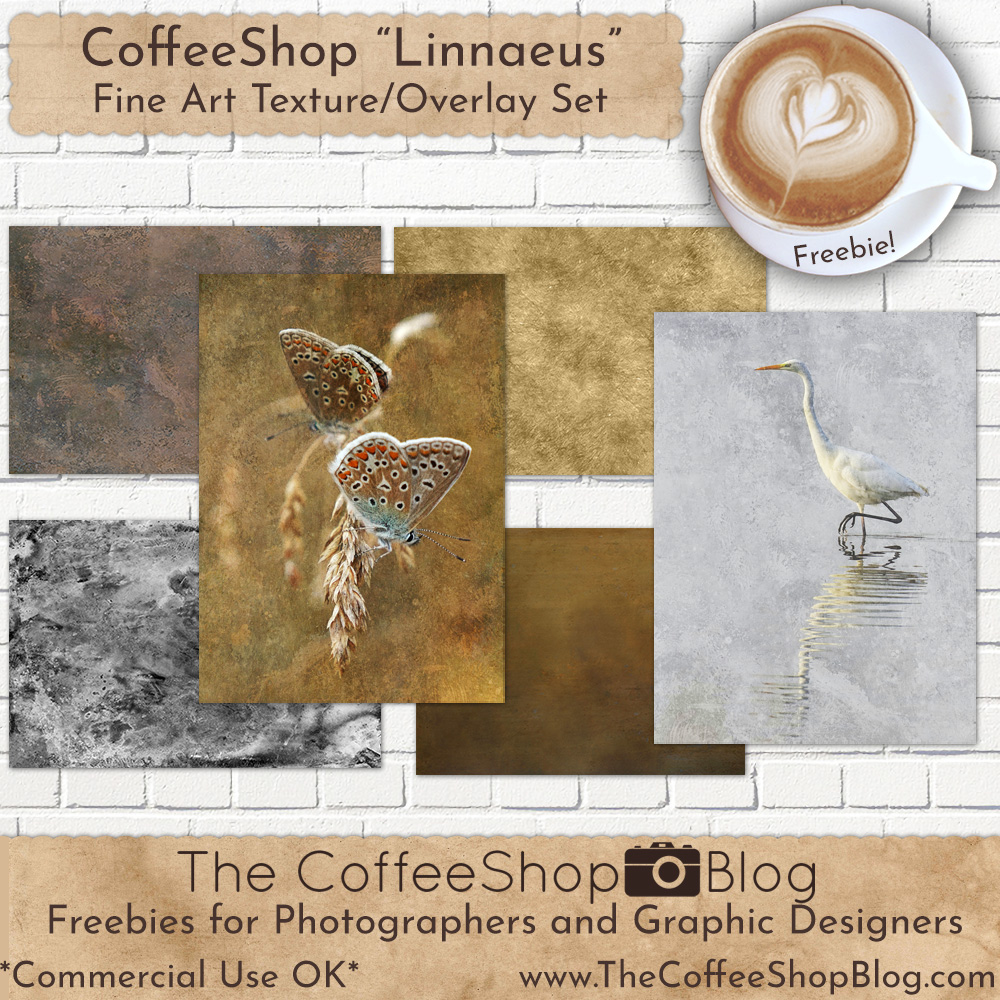
Third, I am posting a new fine art texture set called "Linnaeus". These look gorgeous overlaid on images or used alone as papers. I have posted two of my editing recipes below using this set. You can download the textures for free using the link toward the bottom of this post.


  Download the CoffeeShop "Linnaeus" Fine Art Texture Set!

Do you want to download thousands of professional CoffeeShop PSE/Photoshop actions (including exclusive ones not found anywhere for free), textures/overlays, scrapbooking papers, clip art/design elements, photo storyboards and frames, and Lightroom presets from this site in one convenient zipped file AND help support this one-woman blog?

Just click here for my CoffeeShop Mega Download Pack!

Wednesday, February 22

CoffeeShop "Archimedes" Fine Art Texture Set!

Today I wanted to post my newest fine art texture set, Archimedes. I love these textures so much and I hope you enjoy using them. They can be used alone as papers or layered over images to create your own custom art.  

Download the CoffeeShop "Archimedes" Fine Art Texture Set!

Do you want to download thousands of professional CoffeeShop PSE/Photoshop actions (including exclusive ones not found anywhere for free), textures/overlays, scrapbooking papers, clip art/design elements, photo storyboards and frames, and Lightroom presets from this site in one convenient zipped file AND help support this one-woman blog?

Just click here for my CoffeeShop Mega Download Pack!

Tuesday, February 7

CoffeeShop "Peeling Paint" Fine Art Texture Set

I have a backload of freebies I need to post on my site, so today I start with a really nice set of peeling paint textures. These are high resolution and can be used alone as papers or layered over images/designs. 

Below is an example where I used one of the textures to age a pretty paper. I added it twice, once in Overlay blending mode and once in Soft Light. Then I adjusted the contrast a bit. 

 It is so satisfying antiquing papers like this! These textures come with free commercial TOU, so use them anyway you wish, just don't resell them "as is". Note: You can grab the original 19th century flower paper below here.

Download the CoffeeShop "Peeling Paint" Fine Art Texture Set.  

Do you want to download thousands of professional CoffeeShop PSE/Photoshop actions (including exclusive ones not found anywhere for free), textures/overlays, scrapbooking papers, clip art/design elements, photo storyboards and frames, and Lightroom presets from this site in one convenient zipped file AND help support this one-woman blog?

Just click here for my CoffeeShop Mega Download Pack!

Thursday, January 26

CoffeeShop "Catlin 4" Fine Art Texture Set!


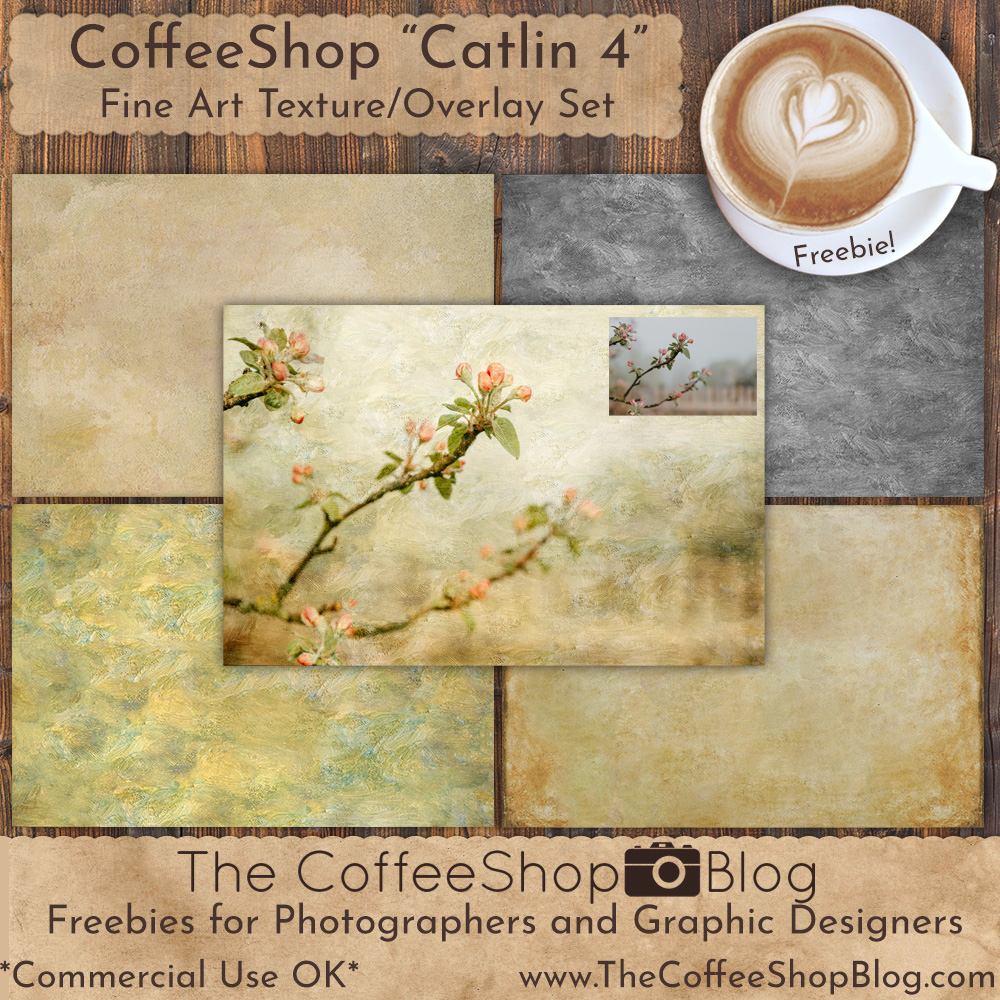
 I am continuing my series of textures created in Photoshop from George Catlin paintings. These fine art textures look gorgeous alone as papers or layered over images using Soft Light and Overlay blending modes. If you don't want to add any color to your image, simply desaturate the texture.


 Turn any photo into wall art or a greeting card! I often run an action on the image before adding the texture.

 Download the CoffeeShop "Catlin 4" Fine Art Texture Set.

 Do you want to download thousands of professional CoffeeShop PSE/Photoshop actions (including exclusive ones not found anywhere for free), textures/overlays, scrapbooking papers, clip art/design elements, photo storyboards and frames, and Lightroom presets from this site in one convenient zipped file AND help support this one-woman blog?

Just click here for my CoffeeShop Mega Download Pack!

Friday, January 20

CoffeeShop "Icy Cold" Fine Art Painterly Texture Set!

It is a cold rainy day so I decided to share these cold-inspired fine art textures I named "Icy Cold." I made this set back in September, but I wanted to wait until winter to post them for you. This set includes six high-resolution distressed-painterly textures that can be used alone or over images.

In the pear image below I added "Icy Cold 6" twice, once in Overlay blending mode and then a desaturated version in Soft Light. I love how it turned out! My favorite way to use these textures is on darker images, but they also look lovely on lighter ones too.

I wanted to mention that I am working on updating older download links. Years ago Mediafire was just a "http" site as "https" didn't exist. So my older links don't have the "s" added. If you click on the link it will be directed automatically to the secure site, but sometimes it will be blocked by your browser. If this is the case, try a different browser or simply copy the address into notepad /similar word processor or into your browser directly and change the "http" to "https" and the link will work. If you find any links that give you an issue please comment on the post so I can fix them! I have thousands of posts so it has been a process getting all of the links updated and I really appreciate your help.
 
Download the CoffeeShop "Icy Cold" Fine Art Painterly Texture Set.

Do you want to download thousands of professional CoffeeShop PSE/Photoshop actions (including exclusive ones not found anywhere for free), textures/overlays, scrapbooking papers, clip art/design elements, photo storyboards and frames, and Lightroom presets from this site in one convenient zipped file AND help support this one-woman blog?

Just click here for my CoffeeShop Mega Download Pack!

Monday, January 16

CoffeeShop "Just the Texture" Fine Art Kit


Today I wanted to share a new fine art texture kit. This set has four unique textures that include cracks, paint, and vintage-aged effects on a transparent background. They can be combined with any of my other textures or even used alone for a really nice effect. 


I love using textures on my images, but sometimes I want to add a textured effect to one of my already made texture or overlay. I created this new overlay set by editing different textures and removing everything from the background other than the specific texture I wanted to highlight. 


For example, the painted texture in this kit has a painterly texture on a transparent background. Add each of these textures to your image in Multiply, Screen, Soft Light or Overlay blending mode to get different effects along with another texture of your choice. I also love to invert the textures (making them white). You can also clip a Color Fill adjustment layer to them to change the colors. 

You can use these textures alone on your images, but I really think they shine used with another texture.

Here is the original image.

I added one of my Catlin textures on top in Overlay blending mode.

I added the TexK1b texture in this set to the image in Overlay. 

You could clip a Color Fill layer to the texture to change the distressing color.

Then I inverted the texture (made the texture white). This give a completely different effect. I erased the texture off the flower.

This is texture TexK1d inverted so it is white and put in Soft Light blending mode.

I hope you have fun playing with this kit and adding additional texture to your images!

Download the CoffeeShop "Just the Texture" Fine Art Kit!

Do you want to download thousands of professional CoffeeShop PSE/Photoshop actions (including exclusive ones not found anywhere for free), textures/overlays, scrapbooking papers, clip art/design elements, photo storyboards and frames, and Lightroom presets from this site in one convenient zipped file AND help support this one-woman blog?

Just click here for my CoffeeShop Mega Download Pack!

Monday, January 2

CoffeeShop "Daguerreotypes #4" Fine Art Texture Set!


Happy New Year! Probably some of you wonder why I have dropped off the map, but I was simply taking a computer break to spend more time with the family over the holidays. We had a great Christmas and New Year and now I ready to get back to work.

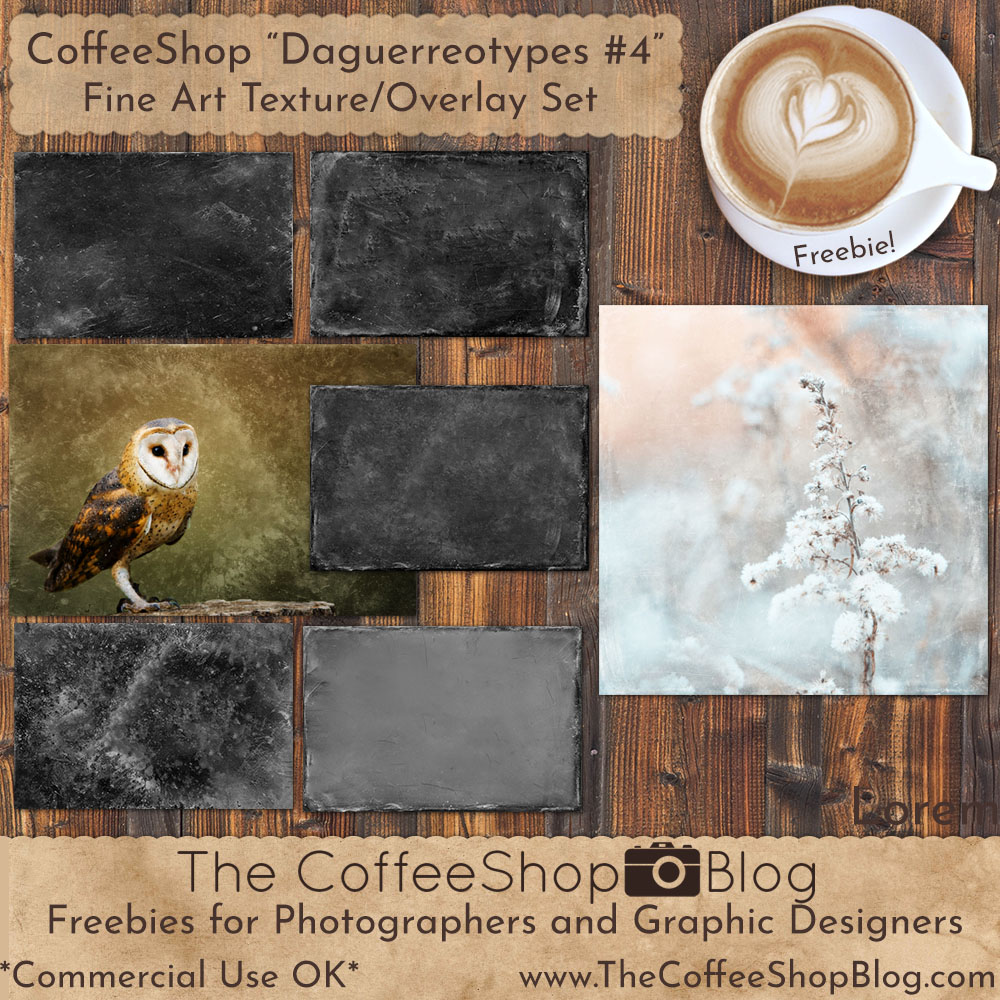
I love textures and one of my passions is finding vintage daguerreotype images and editing them to turn them into beautiful textures and overlays. Yesterday I made a new set of five to share with you and I hope you love them as much as me! 


This week I will post a short tutorial how I use them, but briefly I normally use Soft Light, Overlay, and/or Screen blending mode for the texture, and then add a Levels adjustment layer set to Screen blending mode over the image if the overall edit is too dark. 

Paul gave me a new Epson Ecotank inkjet printer for Christmas as my old printer hasn't worked well for a few years. This one isn't supposed to clog like the old ones did, and I won't use cheap generic ink in it as I think that ended up clogging up and ruining my old one. The ink supplied in this printer can potentially last up to 1.5 to 2 years, so I won't have to stress out if I print out an 8x10 and it looks cruddy.  In a month or two I will post a little review on it for those of you that are looking to get a new photo printer.

I have so many empty places on my walls that need some art so I am so excited to start printing again!

I also wanted to mention that I am going back and updating my older download links. I used to post two links (Mediafire and Dropbox), but the Dropbox account has been closed. Years ago Mediafire links weren't encrypted and verified (HTTPS), so they all start with HTTP. The link redirects to the secure HTTPS site, but apparently links that don't have that "S" won't work on some browsers. If you find a download on one of my older posts and it doesn't work, please leave a comment and I will fix it. Until I get to it, you can copy the link to notepad or your web browser and change the HTTP to HTTPS in the address and the link will work


Download the CoffeeShop "Daguerreotypes #4" Fine Art Texture Set

Do you want to download thousands of professional CoffeeShop PSE/Photoshop actions (including exclusive ones not found anywhere for free), textures/overlays, scrapbooking papers, clip art/design elements, photo storyboards and frames, and Lightroom presets from this site in one convenient zipped file AND help support this one-woman blog?

Just click here for my CoffeeShop Mega Download Pack!

Wednesday, December 7

CoffeeShop "Heavenly Light" Photoshop/PSE Editing Kit Revisted!

I have been going through my older actions and finding some real jewels. Today I wanted to revisit "Heavenly Light". This is an editing kit that contains a Photoshop/PSE action, sun-flare overlay, and two painterly textures.

I wanted to post some new example edits I did today using the kit. 

There are a few notes I wanted to mention about using this action. The matte-effect layer is too strong, so I always have to turn down the opacity quite a bit if I decide to apply it. I enlarge the sun-flare overlay so that it covers a significant part of the sky. I mainly use Soft Light or Screen blending mode for the sun-flare overlay depending on the effect I am after, but if I used Screen I painted most of it off faces in portraits. I sometimes make several copies of the sun-flare and use different sizes and blending modes together. The optional textures included are OK, but I have so many  free gorgeous textures and overlays here on my blog please don't limit yourself! 

Here are some edits using "Heavenly Light" The editing kit and tutorial can be found on this post.


The "Heavenly Light" Editing Kit and Photoshop/PSE Tutorial can be found here!

 Do you want to download thousands of professional CoffeeShop PSE/Photoshop actions (including exclusive ones not found anywhere for free), textures/overlays, scrapbooking papers, clip art/design elements, photo storyboards and frames, and Lightroom presets from this site in one convenient zipped file AND help support this one-woman blog?

Just click here for my CoffeeShop Mega Download Pack!