


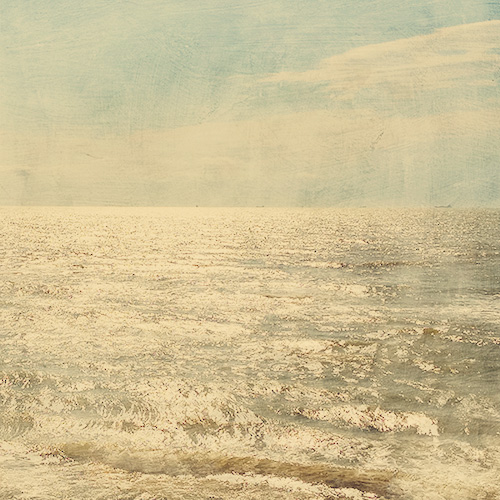
Here is my newest free action, CoffeeShop Velvet Truffle! I wrote a tutorial using this action with some of my free textures, you can find it here. I love this effect and it works on many types of images, including portraits. This action runs in Photoshop and Photoshop Elements and has fully adjustable layers. And not only do I have a free download for the action, but you can find the step-by-step tutorial below. Here is another before/after:

I went one step further and added the ShadowHouse Old Canvas-5 texture. I dragged the texture just above the background, desaturated it (Shift/Control/U)and then put it in Overlay Blending mode, 70% opacity.

CoffeeShop Velvet Truffle UnWrapped!
1. Open your color/contrast adjusted image.
2. Add a Levels Adjustment layer and move the middle (gamma) slider to 1.25 to lighten the midtones.
3. Add a Hue/Saturation Adjustment layer and lower the saturation to -10. This will mute the color a tiny bit.
4. Add a Levels Adjustment layer with no adjustments and put this layer in soft light blending mode. This will add a contrast boost.
5. Add a Color Fill Adjustment layer, hex#06122f (dark navy blue), put it in Exclusion mode, and adjust opacity to taste. This adds a yellowish tint. I used 100% opacity in the action.
6. Add a Color Fill Adjustment layer, hex#faeed0 (ivory), put it in Multiply mode, and adjust opacity to taste. I used 75% opacity in the action.
7. Adjust layers to taste!
Here is another before/after using this action and some free textures from my blog. Mouse over for the before. The tutorial for this edit is here.
Download the free CoffeeShop Velvet Truffle action. If that download does not work, you can download Velvet Truffle here.
Want all of my favorite CoffeeShop Actions or Design Elements in one simple download AND help support this blog? Just click here for my action pack or here for a download of some of my most popular design elements, storyboards, and textures. For complete info on installing all of my actions, click here.


