Thursday, December 31

Happy New Year!


I just wanted to wish you a Happy New Year! I am going to have a quiet one since Imp came down with the croup yesterday (first time we have had this in our family). His cough does sound just like a seal... Poor little baby.

With the new year comes a new look for CoffeeShop...

Sunday, December 27

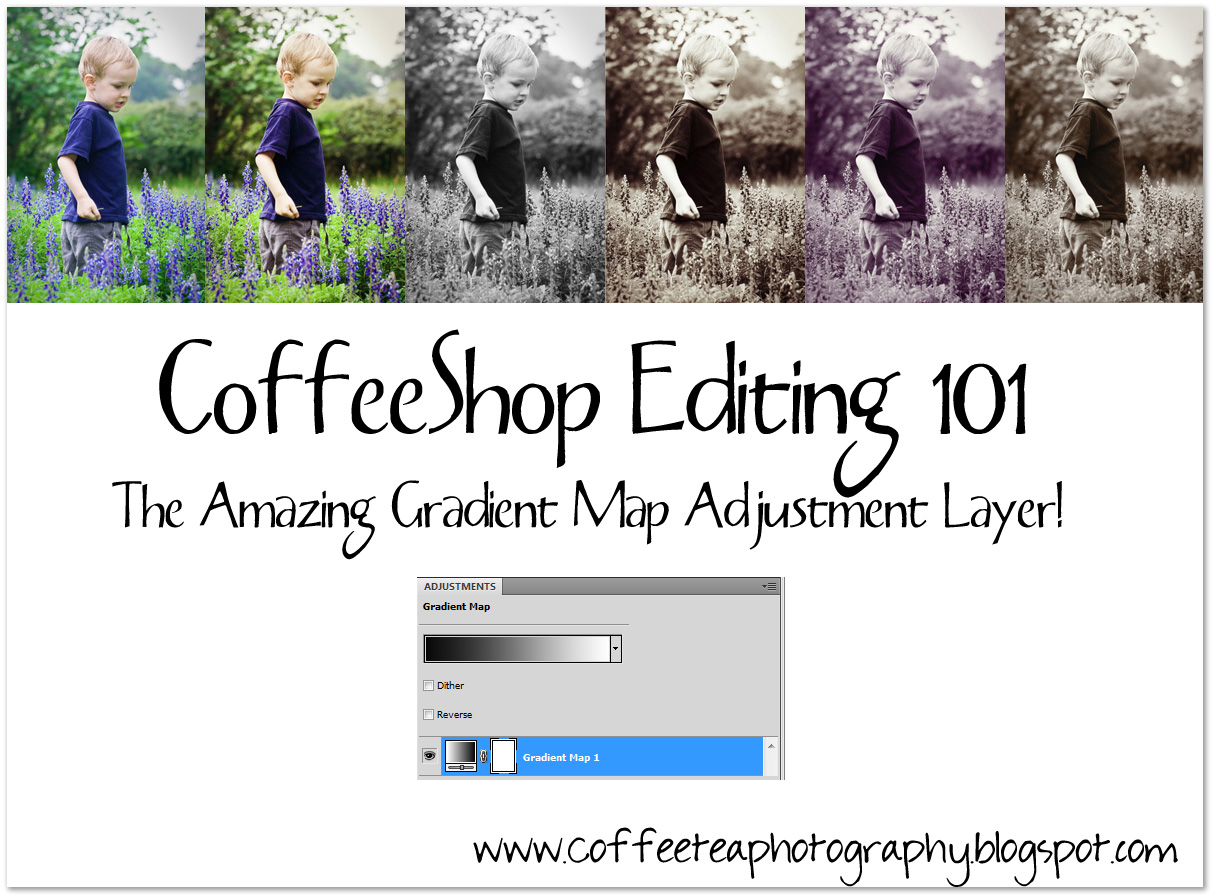
CoffeeShop Editing 101- Loving Gradient Map Adjustment Layers!


I think that many Photoshop CS and Photoshop Elements Users haven't yet discovered the amazing Gradient Map Adjustment Layer. All of the images above (other than the first SOOC) were enhanced using Gradient Map Adjustment Layers, ...

Sunday, December 20

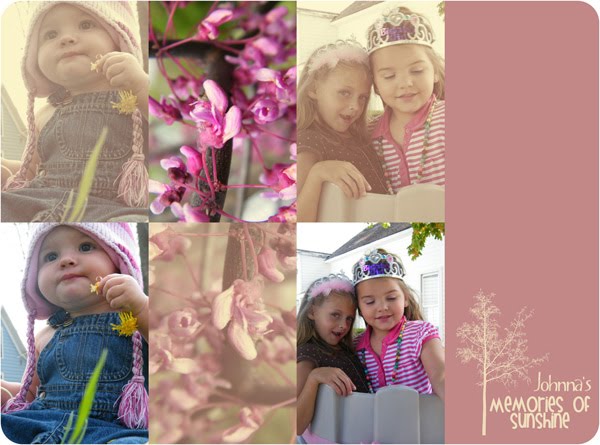
Johnna's Memories of Sunshine PS/PSE Action!


OK, I have to admit the images seen above are not mine!  So I was getting my Flickr fix when I came open the image I posted above. Wow, not only were the before/after stunning, but Johnna included a step-by-step tutorial! I get really excited when I see photographers sharing, so I emailed her and asked if I could make her tutorial into an action and post it up here. And she said YES!

So here it is, a new free action designed and generously donated by Johnna LaFaith, converted to an action by me! I hope you guys love Johnna's Memories of Sunshine enhancement as much I do. If you want to see what the action does, step-by-step, page down for the Action UnWrapped tutorial.

Download the free Johnna's Memories of Sunshine PS/PSE Action HERE!

Johnna's Memories of Sunshine PS/PSE Action UnWrapped!

Here is Johnna's action taken apart.

Steps
1) Add Layer, Solid Color, Orange (b76e0f) set to screen at 74% opacity.
2) Add Layer, Solid Color, Navy Blue (040747) set to exclusion at 100% opacity.
3) Add Layer, Solid Color, Brown (1e1203) set to color at 44% opacity.
4) Click on Background layer, Ctrl-J to duplicate. Set to soft light blending mode and drag on top of all of the layers. This is the Contrast Boost layer. Turn off for a hazy image, turn on and adjust opacity for added contrast.
5) The action can be run again for additional enhancements. It automatically flattens the image before running. :-)


Did I mention I LOVE this action? Thank you so much Johnna!

Do you want to download thousands of professional CoffeeShop PSE/Photoshop actions (including exclusive ones not found anywhere for free), textures/overlays, scrapbooking papers, clip art/design elements, photo storyboards and frames, and Lightroom presets from this site in one convenient zipped file AND help support this one-woman blog?

Just click here for my CoffeeShop Mega Download Pack!

Thursday, December 17

Blogger UnWrapped: Making Images/Text Links Open in a New Window or Tab!


Something that can really bug me is when I am visiting a blog and I left click on a link to see if it is interesting and it brings me to a new site when I wasn't really ready to leave.

Tuesday, December 15

CoffeeShop Christmas Wrapping Paper Textures!


Here are some new Christmas-inspired textures. They are 2000px by 1200px, the perfect size for blog, card, or storyboard backgrounds. You probably noticed I used the red one for my blog background. :-) If you don't know how to add a background to your Blogger blog, you can read my tutorial.

Download the free CoffeeShop Christmas Wrapping Paper Texture set HERE!
I also have some textures I made last year. Click on the image to go to the post to download them if you haven't already!


I hope everyone is having a wonderful holiday month!

Do you want to download my favorite CoffeeShop PSE/Photoshop Actions and Lightroom Presets or Design Elements in one convenient zipped file AND help support this blog? Just click here for my action pack or here for a download of some of my most popular design elements, storyboards, and textures.

For complete info on installing all of my actions, click here.

Monday, December 14

Winners of CoffeeShop Watermarking Actions!!!


Here is Imp making one of his outstanding faces. This kid is going to be ...

Friday, December 11

Win a Watermarking Action Kit and CoffeeShop Butterscotch Vintage Action Tweaked!

Closed!!!

First I want to give away one of our CoffeeShop Watermarking Action kits!


This kit works ...

Thursday, December 10

CoffeeShop Texture Tutorial: Actions AND Textures, Oh My!

I love textures and I love actions, so why not combine them!


You might remember this "before" photo. I ran the CoffeeShop Butterscotch Vintage action on it. But I think it needs a bit more. Make sure you flatten your image after you run the action! So I went and grabbed the free Old Film TTV texture from Shadowhouse Creations.


Just open the texture. Select your move tool (V) and ...

Tuesday, December 8

CoffeeShop Butterscotch Vintage PS/PSE Action!


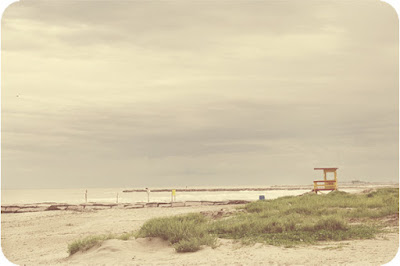
Here is my newest free action, CoffeeShop Butterscotch Vintage! This action looks amazing on images that have some type of horizon. The layers are all adjustable and have layer masks, just be sure to flatten before you save your photo. You can use this action in all versions of Photoshop CS and Photoshop Elements 5 and up.

Dec. 12 Update! I have modified the CoffeeShop Butterscotch Vintage action download. Now after running. the action groups all of the butterscotch vintage layers so you can simply adjust the effect of the entire action at once, or open the group and fine-tune each layer. Duh, why I haven't been doing this is beyond me!!! ;-) Now it is easy to get a more subtle effect. I haven't figured out a way to ungroup the effects in PSE, but adjusting the group's opacity works great if the effect is too much. :-) There is also a download to the original action that does not group the layers for the PSE users out there who want to tinker more!

Download the free CoffeeShop Butterscotch Vintage PS/PSE Action HERE! If you want to download the original version that does not group the layers (PSE-users only will need this version), download it HERE.


I have another action coming out soon. It is a vanilla B&W action with a vintage twist. I think you will love it (I do). I am also putting together a new Blogger tutorial on adding a simple horizontal menubar to your Blogger blog. I have had so many requests for this tutorial and I am finally getting it wrapped up.

Do you want to download thousands of professional CoffeeShop PSE/Photoshop actions (including exclusive ones not found anywhere for free), textures/overlays, scrapbooking papers, clip art/design elements, photo storyboards and frames, and Lightroom presets from this site in one convenient zipped file AND help support this one-woman blog?

Just click here for my CoffeeShop Mega Download Pack!

Sunday, December 6

CoffeeShop Rounded Corners Storyboard Set!


So far we are having an usually cold fall. I had to take a photo of our backyard fence because I thought this looked like tiny ice bunnies! I used the newest action I am working on (soon to be released here!) and also this texture.

I also used my new action on the photo below of Duke on his redneck playground. The ladder was originally against the chicken coop (another redneck playground) but we found it makes a wonderful add-on for our hay bales. Imp is too scared to slide down, but Duke loves it (as you can see!). BTW, last week my Duke turned 5. My little boy is growing up so fast.
Slow down a little there Duke, you have plenty of time to get old...

It is a dreary Sunday late morning. I am working on this post and making spinach/venison lasagna for lunch. The venison was from our neighbors. I give them fresh eggs in exchange for fresh-ground venison. They not only hunt the deer, but process it themselves. I was impressed until I heard that my friend's brother-in-law lost part of a finger last year grinding the meat. She assured me this batch is finger-free... ;-)

My wonderful husband is outside with the boys on the big green tractor (a John Deere of course). They are getting a tractor ride and are in heaven... The house is so quiet and I feel so relaxed. Cooking alone is a luxury for me. I love having those two little boys around, but there is a little spot in heaven for husbands who bring their little kids outside so Mom can have a little peace and quiet. I might sneak in a glance of the book I am reading while I am cooking. Give me a coffee and a good book and I am in heaven myself!


Here is my newest set of free storyboard templates, the CoffeeShop Rounded Corners Storyboard Set! This download includes six different .psd layered templates with clipping masks. If you don't know how to use clipping masks (they make loading storyboards a snap), then please read my clipping mask tutorial or read the second half of this post. Each templates is 20 inches by 20 inches, 300dpi, so you can use them for print or crop them for the web. If you are using them for the web, you can make them smaller before adding your images if you want.

NOTE: These are templates you open in Photoshop or Photoshop Elements like any other image. These are not actions!


Download the free CoffeeShop Rounded Corners Storyboard Set HERE!

Do you want to download my favorite CoffeeShop PSE/Photoshop Actions and Lightroom Presets or Design Elements in one convenient zipped file AND help support this blog? Just click here for my action pack or here for a download of some of my most popular design elements, storyboards, and textures.

For complete info on installing all of my actions, click here.

Thursday, December 3

My Natural Light "Studio" and Amazon giftcard winner!


Here is a photo of Imp (my two year old, and "Imp" is his very fitting nickname!) I took yesterday in my fancy home studio. Yes, I do have my own studio. And guess what, so do you! I drew a diagram of mine as seen below.


Fancy, right? I am pretty much a 100% natural light photographer. It is not that I don't like flash or am scared of using it, I just prefer to shoot with natural light whenever possible.

For this shot of Imp [...]

Wednesday, December 2

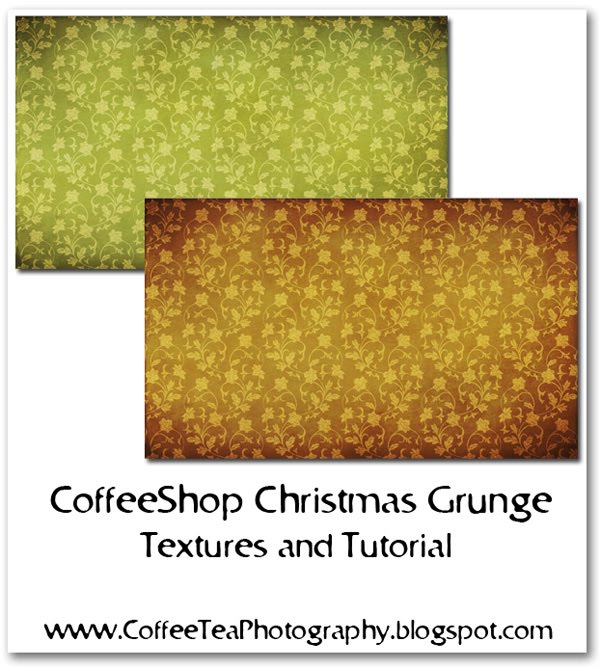
CoffeeShop Christmas Grunge Texture and Tutorial!


Here are two free Christmas Grunge textures. They are big enough to use as backgrounds for your blogs or as textures on storyboards/cards/etc. Read below for a step-by-step tutorial (and the download link) on how I created them using free textures I found on the web.

1. I made a new document 2000px by 1200px, transparent background.

2. Next I made a new blank layer on top and used the Pixels&IceCream Christmas flower pattern in green (the small version). This is cute as is (thank you Jen!!!), but I want to grunge it up a bit.


3. I added Tone Texture 2 from ShadowHouse Creations. I put this layer in Overlay, 100%.

4. I then added Parchment 4 from ShadowHouse Creations. This layer was put in Linear Light, 16%.

5. I made a copy of this layer (Ctrl-J) and put the copied layer in Overlay, 40%.

6. Finally, I added the last free texture, GrungeBox TOTD # 112 from ShadowHouse Creations. This layer was put in Overlay, 57%.

7. If you want the texture in green, flatten and save. If you want it red, then add a color fill layer with #823e3e, Overlay, 100%. Then flatten and save. (Click on the images below to see the layer pane larger.)


Download both free CoffeeShop Christmas Grunge Textures HERE!

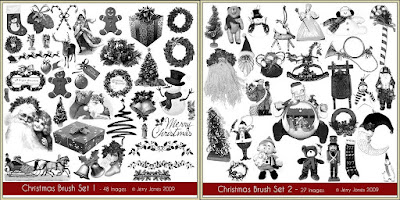
And I would be remiss if I did not post about Jerry's newest free Christmas brushes! Click on the images to be directed to his site so you can download them all. :-)


Do you want to download my favorite CoffeeShop PSE/Photoshop Actions and Lightroom Presets or Design Elements in one convenient zipped file AND help support this blog? Just click here for my action pack or here for a download of some of my most popular design elements, storyboards, and textures.

For complete info on installing all of my actions, click here.