Here are two versions of a photo taken at our pond. The first is SOOC (straight out of camera) and the second has the Orton effect applied to it.

SOOC (Straight out of camera)
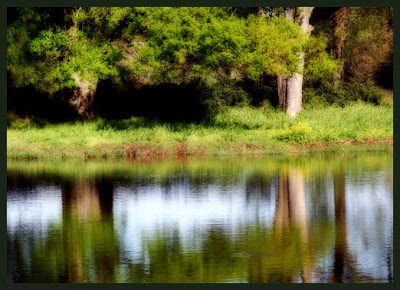
Orton Effect
I actually combined a few things I have picked up along the way to get this effect. I use PS7 so this should work in PS7 and up. It might work in Elements, and please let me know if you find that it does. The free action can be downloaded via the link at the bottom of this post.
Open your image. Do a quick Curves to boost contrast and adjust color. Then open levels and bring the middle slider up until your image is very light and the middle input level above the curve is around 2. Your photo will look completely washed out, that is what you want.
If you used adjustment layers, flatten your image. Make two copies of your image. On the top image apply a Gaussian blur of 20. Merge this down. Now you should have 2 layers. Change the top layer's blending mode to multiply. Flatten the image. If you are happy with how this looks then you are finished. If you want more contrast like I have in my picture, continue on to the next steps.
First I will bring up the contrast in the darker sections. Ctrl-click on your RGB channel (this selects the highlights), invert it, then feather it 5-10. Then Ctrl-J to make your selection into a new layer. Change its layer blending mode to soft light. Ctrl-click on your RGB channel once again, invert it, then feather it 5-10. Add a brightness/contrast new adjustment layer. Bring up the contrast to 10-20 (whatever looks nice to you).
Now I like to bring up the contrast in the lighter sections. Ctrl-click on your RGB channel, feather it 5-10 (do not invert it this time!), and add a brightness/contrast new adjustment layer. Bring up the contrast to 20 (or whatever number you need to get a nice punch of contrast). Flatten your image.
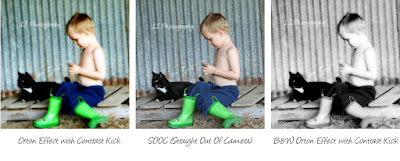
Here is the effect on a photo of a child. The B&W Orton turns a color picture to B&W and then applies the orton effect.